Online Band Seating Chart Tool
Free online band seating chart maker for clean semicircle layouts. Set rows and seat counts, switch between top or bottom direction, and export a rehearsal-ready seating plan instantly.
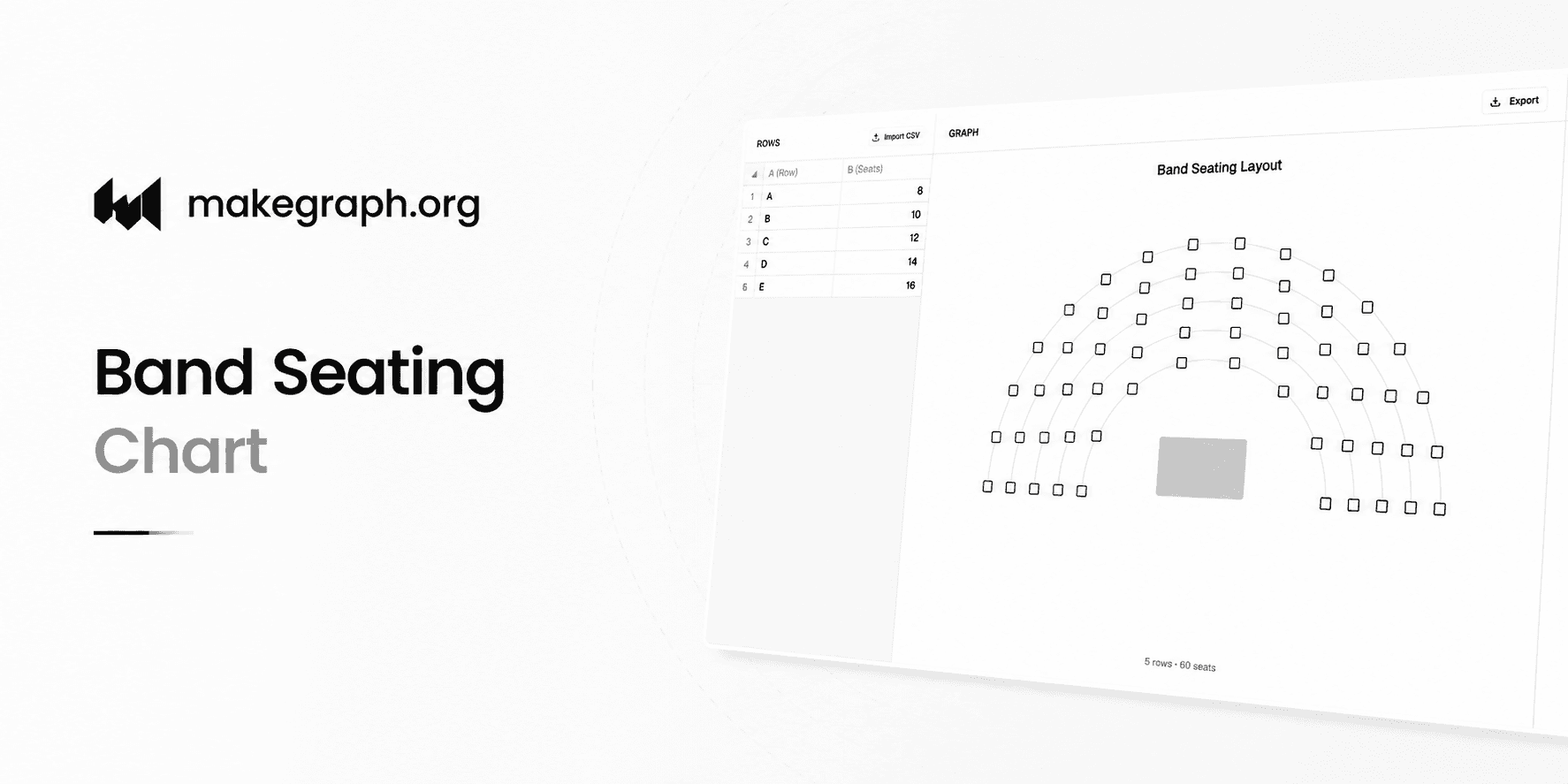
5 rows · 60 seats
Why It Works
Most band seating plans start with a half circle, not a freeform map. This maker stays focused on row structure, seat totals, top-or-bottom direction, and a clear conductor area inside the arc.
Enter row labels and seat counts in a simple table, then let the preview generate aligned half-circle rows automatically.
Switch the layout between top and bottom instead of managing arbitrary rotation values that are rarely needed for rehearsal seating.
Export a clean layout with solid arc guides, hollow square seats, and a centered conductor platform for rehearsal sheets or classroom handouts.
Product Highlights
Use one table to define row labels and seat counts without adding musician names, instrument fields, or extra seat metadata.
See the half-circle rows update immediately when you add a row, remove a row, or change seat totals.
Switch the whole layout between top and bottom orientation without dealing with unnecessary angle controls.
Keep a centered rectangular conductor platform inside the arc so the layout reads more like a practical rehearsal plan than a generic diagram.
Common Use Cases
Plan a concert band semicircle before rehearsal starts.
Sketch a top-facing or bottom-facing classroom ensemble layout for music educators.
Test different row counts before a recital, concert, or school performance.
Prepare a printable seating reference with a clear conductor position inside the arc.
Share a quick structure-first layout with students, section leaders, or event collaborators.
Block out a clean semicircle before adding names or instruments in another tool.
Your layout is mainly a semicircle or multi-row arc.
You only need row labels and seat counts to plan the structure.
You only need to choose whether the conductor side is on the top or the bottom.
You need a clean visual faster than drawing arcs, seats, and podiums manually in presentation software.
You need per-seat assignments like musician names, instruments, or notes.
Your venue uses complex zone pricing or ticket availability states.
You need left-right or arbitrary-angle placement for irregular room geometry.
You want a full auditorium seating map rather than a conductor-centered band arc layout.
Frequently Asked Questions
It controls the essentials: row labels, seat counts, row spacing, seat size, and whether the layout faces the top or the bottom.
Yes. Every row is edited independently in the table, so outer rows can hold more seats than inner rows.
Yes. The current version keeps the choice intentionally simple: top or bottom. That covers the common conductor-facing setups without adding unnecessary rotation controls.
Not in this version. The tool stays focused on the core semicircle structure so it remains fast and easy to edit.
Not really. It is better suited to band, rehearsal, or classroom seating layouts where rows, seat totals, and conductor position define the main structure.
Yes. Use the export button in the preview panel to download the current seating chart as a PNG.
Ready To Start
Enter rows on the left, choose top or bottom direction on the right, and use the live preview to turn a rough idea into a clean seating plan.
